Write down that trip,
together with the people
who went with you.
When, where, what you ate, how much you spent. Photos, videos and costs, recorded for every day of the trip in order. Just send a link, and your travel companions can view it and add to it too.
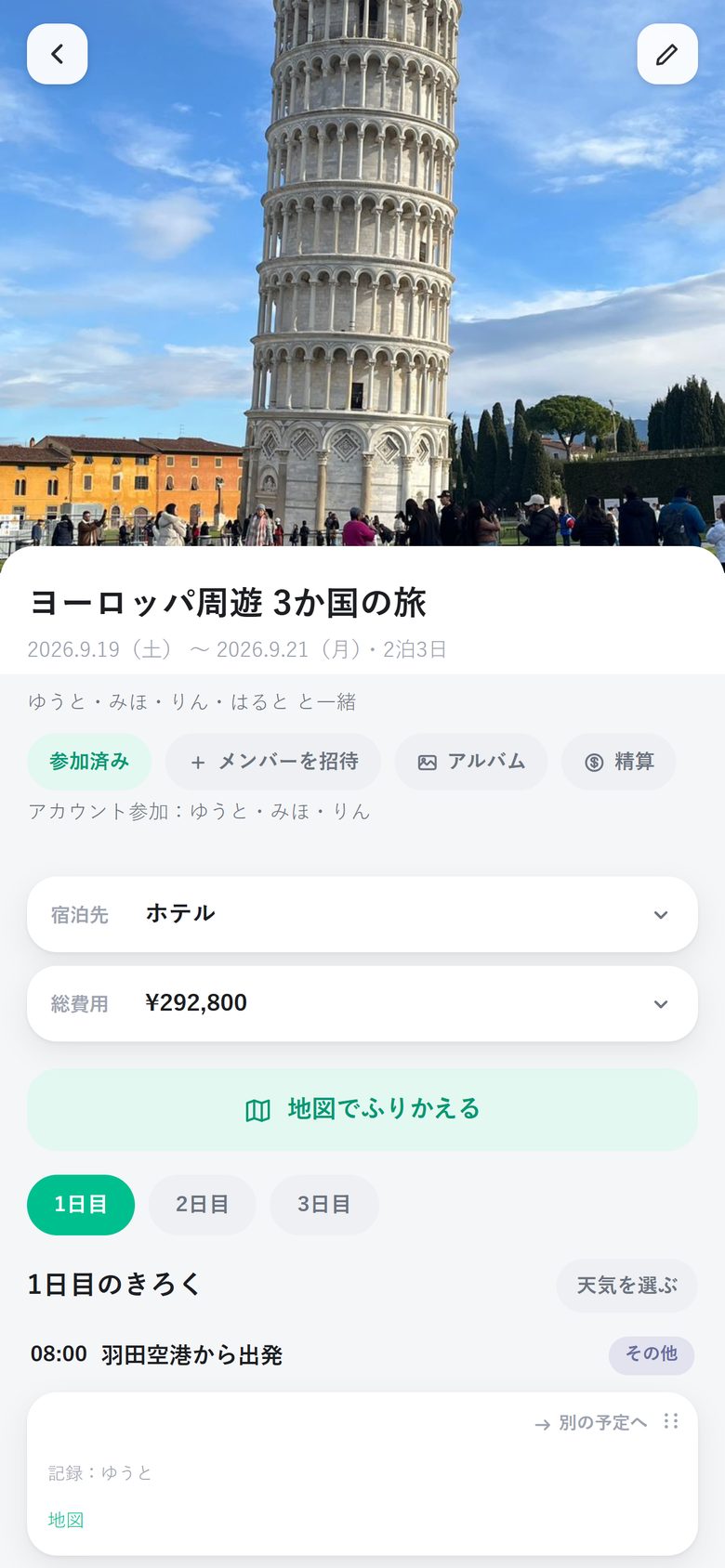
No login needed to view or add records. Paste it into your family group chat and you are ready to go.
The route of your trip animates on the map, with the photos from the time, so you can retrace the whole trip.
Record who paid up front, and the easiest way to settle up is worked out for you after you get home.
Every "wait, where was that place?"
from your trip, kept for you
From quick notes on the road to looking back and settling up back home.
Capture the flow
of each day, in order
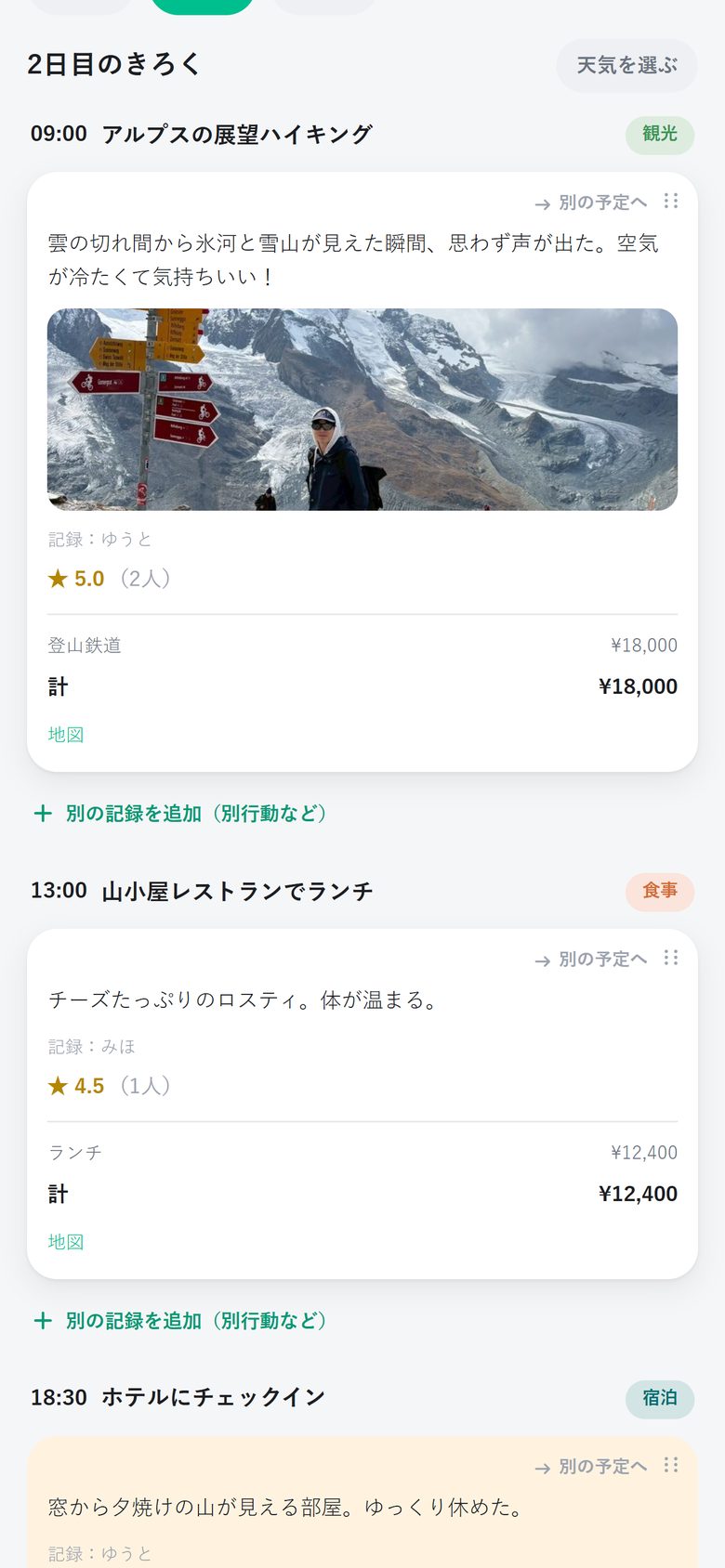
Like "11:00 Shuri Castle Park" or "12:30 Shuri soba", every activity can carry photos, comments, costs and a ★ rating.
- Attach photos and videos directly
- Enter costs one by one, totaled automatically
- Time spent apart can be recorded separately and shown side by side
- Lodging and total cost are summarized at the top of the trip page
Your trip's footprints,
running across the map
The places you recorded are linked up, and icons for each mode of transport move along the route: trains follow the rails, planes fly across the sky. When it reaches each place, the photo you took there pops up.
- Overseas trips across time zones keep local time
- Export as a vertical video to share straight to social media
Build your itinerary
from screenshots, voice or notes
Screenshots of flights and hotel bookings, things you say out loud after the trip, bullet-point notes from your memo app. AI splits them by date, time and place into individual activities and lines them up on a review screen. Tweak them and add them.
- Works with screenshots of flights, hotels, train tickets and transit routes
- Anything you did not say or write is not guessed or filled in
- Snap a receipt and it becomes a cost breakdown
"Who owes how much?"
No more headaches after the trip
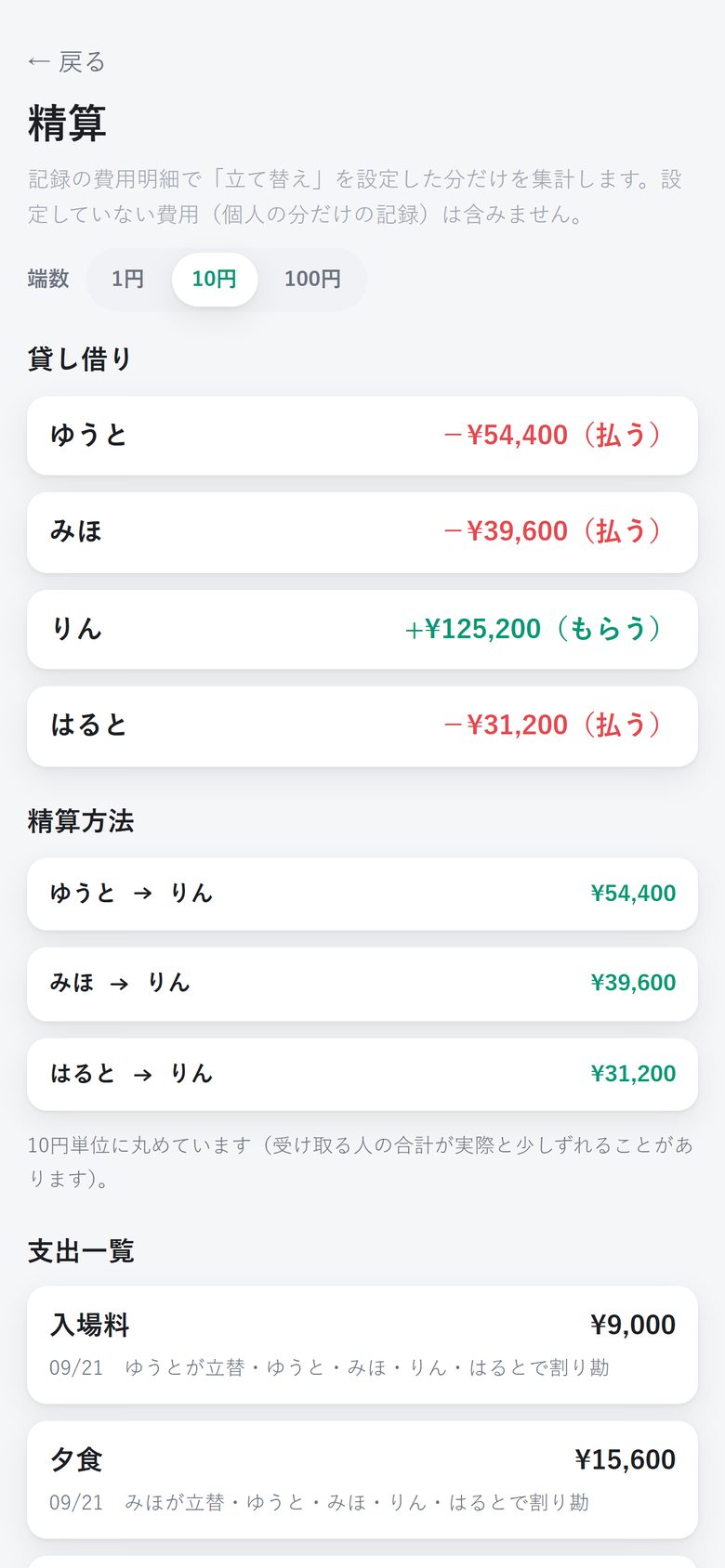
Just choose "who paid" and "who splits" for each cost, and the settlement with the fewest transfers is worked out.
- Round off odd amounts to the nearest ¥1, ¥10 or ¥100
- Foreign-currency payments are converted to yen at that day's rate
- Only costs paid by someone are counted (personal-only records don't get mixed in)
Prefectures and countries you've visited,
lighting up one by one on the map
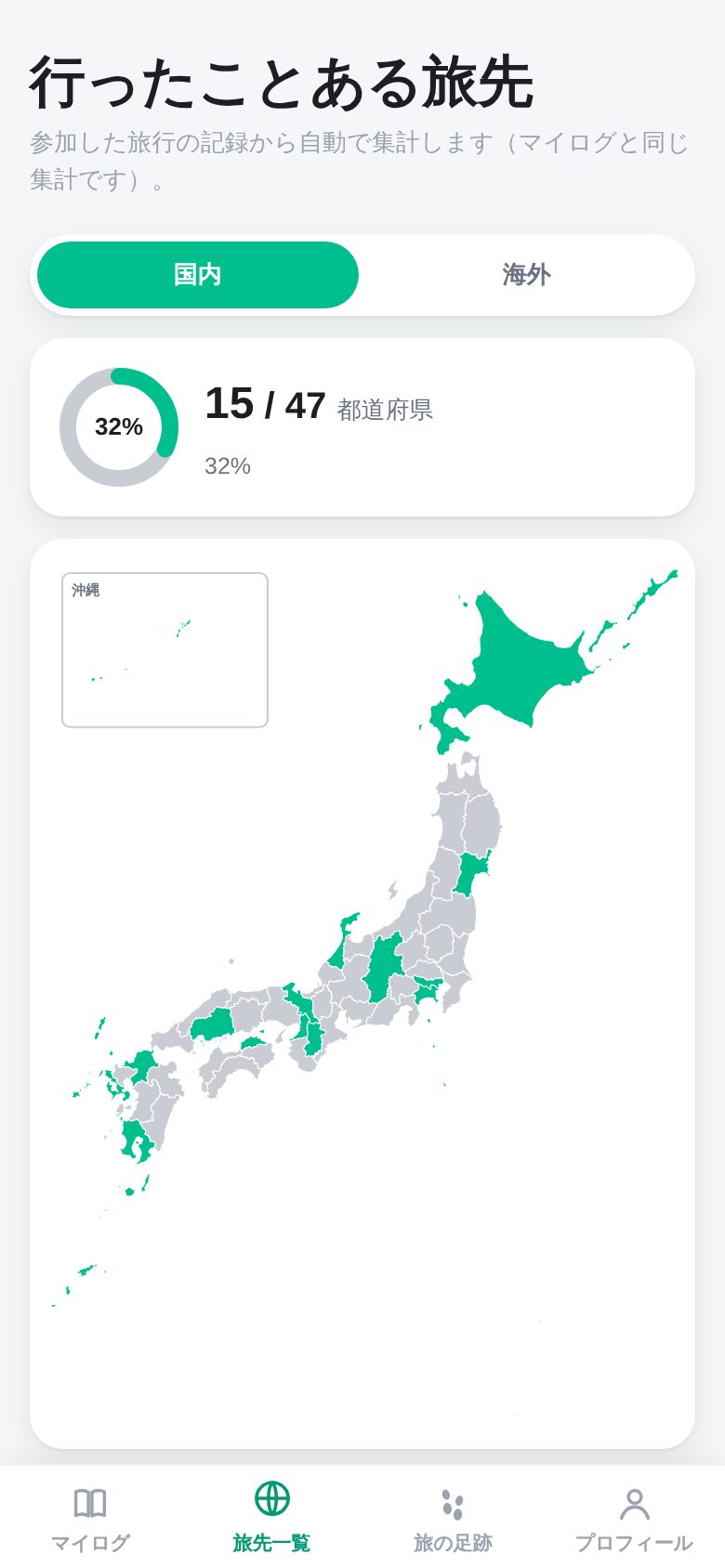
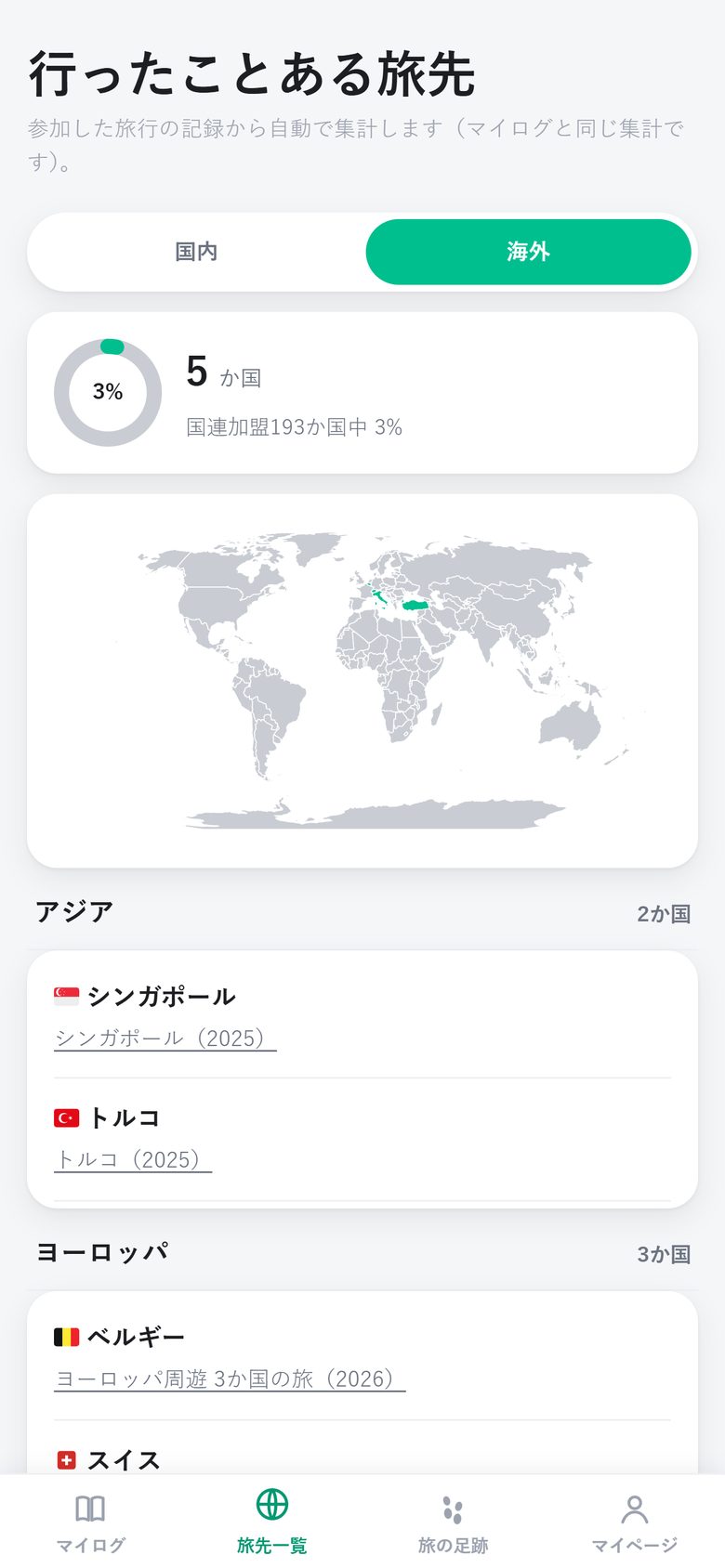
Based on the trips you joined, the Japanese prefectures and countries you have visited are tallied automatically. The food, lodging and experiences you rated with ★ can be looked back on across trips, as a "Food Log" or "Hotel Log".
- Countries you only passed through on a layover are not counted
- Wrong places can be fixed anytime with "Remove"
- Ratings are visible only to you
More features that come in handy on trips
Overseas activities are ordered in local time based on their place on the map, with a divider where the time zone changes.
When one person goes a different way, like "I went to the art museum alone in the afternoon", you can switch to that person's path and view it.
For the same place, each companion can give their own ★. The trip as a whole shows the average.
Like "nights 1–2 at this hotel, night 3 the same", the hotels you stayed at are organized night by night.
Photos and videos from the trip are arranged by date in an album you can browse all at once.
You only need to log in to give ratings or use My Log. Viewing and adding records needs no account.
Keep recording in the mountains or on a plane. Changes send automatically once you are back online.
In your food and hotel logs, the highest-rated places get gold, silver and bronze medals.
The app speaks three languages, so friends from abroad can join in.
Free to use, for as long as you like
Trip records, sharing, looking back on the map and settling up are completely free with no usage limit. Only the AI import features have a monthly limit. If you need more, buy ticket packs in the iPhone app (they never expire).
FAQ
Do the people I travel with need to install the app?
No. Just send them the trip link, and they can view and add records right in a browser without the app, and without logging in.
Can strangers see my photos and records?
A trip record can only be seen by people who know that trip's link. People with the link can also add content, so send it only to the people who went with you.
Does it work on Android or desktop?
Yes. The web version (tabinoashiato.pages.dev) has the same features. On iPhone you can also use the App Store app.
What happens when I run out of AI uses?
Your free uses come back next month. If you need more right away, buy a 10- or 30-use ticket pack in the iPhone app. Tickets work for voice, note and screenshot import and never expire. Prices may be shown in your local currency.
How is the data sent to AI handled?
For voice, note and screenshot import and receipt scanning, a confirmation prompt appears first, and data is sent only after you agree. What is sent is not used for AI training. See the Privacy Policy for details (the Japanese version prevails).
Start leaving footprints on your next trip.
Create a trip and just send the link to your family.